GPT Image 2 gratuit : puissant générateur et éditeur d’images IA
Prend en charge JPEG, JPG, WEBP, PNG
Essai gratuit pour une génération d’images de meilleure qualité
Profitez d’une expérience plus rapide, de meilleure qualité et sans pub sur notre site professionnel
Principales capacités de GPT Image 2 gratuit
Un flux polyvalent de création d’images IA pour le texte vers image et l’image vers image, conçu pour des détails nets, une bonne fidélité au prompt, une composition équilibrée et des itérations créatives rapides.
Exemple de création texte vers image
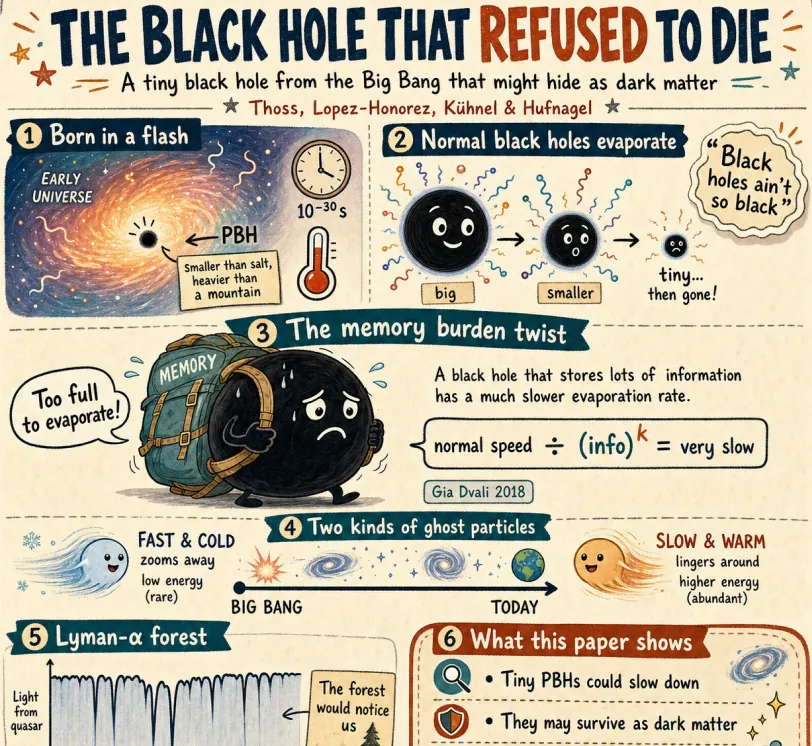
Create a fun, friendly magazine-style educational infographic poster for teenagers.Topic: Primordial black holes, Hawking evaporation, and memory-burden dark matter.Style: Playful hand-drawn diagrams, cute cartoon characters, clean bold typography. Warm and approachable.Canvas: Portrait orientation, warm cream paper texture, thin muted gray border.Headline: "THE BLACK HOLE THAT REFUSED TO DIE"Subtitle: "A tiny black hole from the Big Bang that might hide as dark matter"Credit: Thoss, Lopez-Honorez, Kühnel & HufnagelLayout sections:Top left: "Born in a flash" — Early universe swirl, tiny PBH (smaller than salt but heavier than mountain), 10^-30s clock, thermometer.Top right: "Normal black holes evaporate" — 3 shrinking stages with particle squiggles, Hawking quote sticker: "Black holes ain't so black".Center: "The memory burden twist" — Sad cartoon black hole with big "MEMORY" backpack, speech bubble "Too full to evaporate!", simple equation: normal speed ÷ (info)^k = very slow. Gia Dvali 2018.Lower middle: "Two kinds of ghost particles" — Fast cold particle vs slow warm particle, Big Bang to Today timeline.Bottom left: "Lyman-α forest" — Spiky absorption forest graphic, note "The forest would notice us".Bottom right: Rounded box "What this paper shows" — final summary.Colors: warm beige, dark navy, rust orange, dusty teal, soft brown, gray.Flat vector style with sketchy outlines, soft shadows, rounded friendly shapes.Dense but clear single-page poster with easy top-to-bottom flow. Make advanced physics feel fun for curious teens.
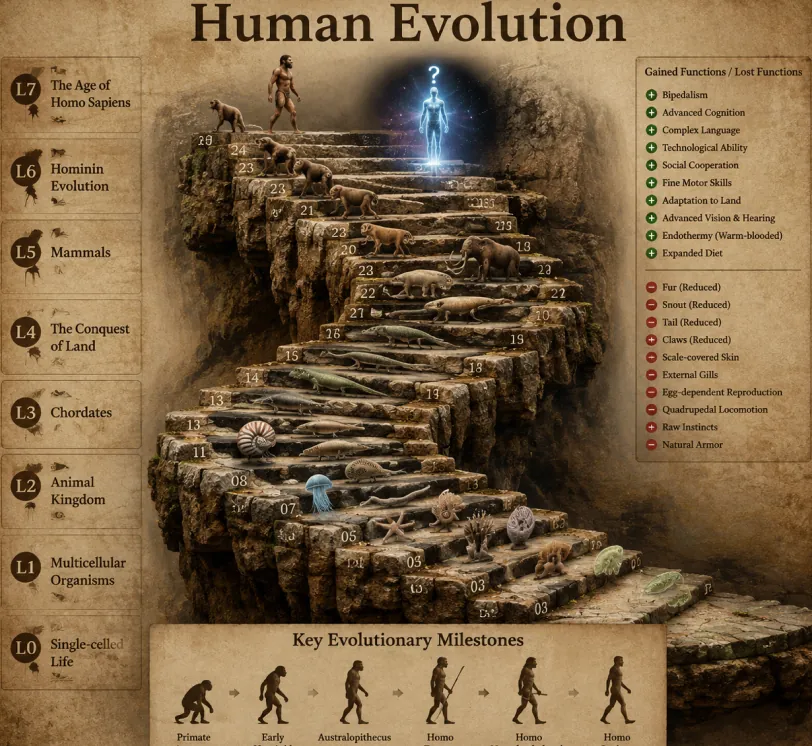
Create a highly realistic 3D infographic of the evolutionary timeline of life on Earth, based on a classic winding staircase structure.Style: Vintage textured parchment paper background. The staircase is made of realistic, rough-textured ancient stone blocks forming clear, distinct steps instead of smooth ramps. All organisms are rendered as highly detailed photorealistic 3D models with realistic lighting, textures, and depth.Main Title (large and prominent at the top): Human EvolutionLeft Sidebar (8 levels): Vertical list showing major evolutionary stages: L0: Single-celled Life L1: Multicellular Organisms L2: Animal Kingdom L3: Chordates L4: The Conquest of Land L5: Mammals L6: Hominin Evolution L7: The Age of Homo SapiensTop Right Corner: Legend titled “Gained Functions / Lost Functions” with clear plus (+) and minus (−) icons explaining key evolutionary advantages and losses.Bottom Center: Section titled “Key Evolutionary Milestones” featuring a horizontal timeline with 6 silhouette figures showing the classic ape-to-human progression.Centerpiece: A grand winding stone staircase with exactly 25 numbered steps. Each step displays a photorealistic 3D model of an organism representing its evolutionary stage. Notable steps include: Step 07: Jellyfish Step 09: Ammonite Step 10: Trilobite Step 24: Early modern human walking upright Step 25: Futuristic glowing cosmic human silhouette with a glowing question mark above it Make the entire image cinematic, highly detailed, educational, and visually impressive with dramatic lighting, realistic shadows, and depth of field. 8K quality, sharp focus, scientific illustration style.
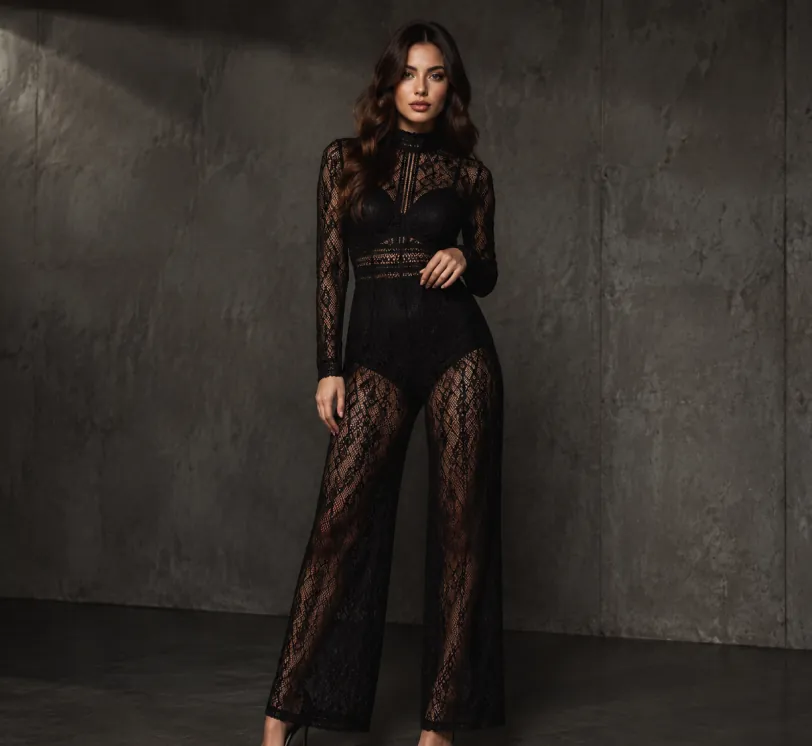
Create a realistic full-body studio fashion portrait of a young adult woman standing in a minimalist dark gray concrete room with a rough textured wall and polished concrete floor. beautiful symmetrical face, delicate makeup, sharp eyes and defined lips.She has long wavy dark brown hair and a clear, detailed face with elegant features. She wears a black sheer lace long-sleeve high-neck wide-leg jumpsuit with intricate geometric mesh patterns and a fitted waist over dark underlayers, paired with black pointed high-heel pumps. Pose her slightly angled to the camera, one hand resting near her waist and the other relaxed by her side, conveying elegant editorial confidence. Use moody low-key lighting from the upper left, subtle shadows, muted charcoal tones, high-fashion catalog styling, sharp fabric detail, realistic proportions, vertical composition, full-body framing, and a clean industrial background with no text or extra props.
Exemple de retouche d’image
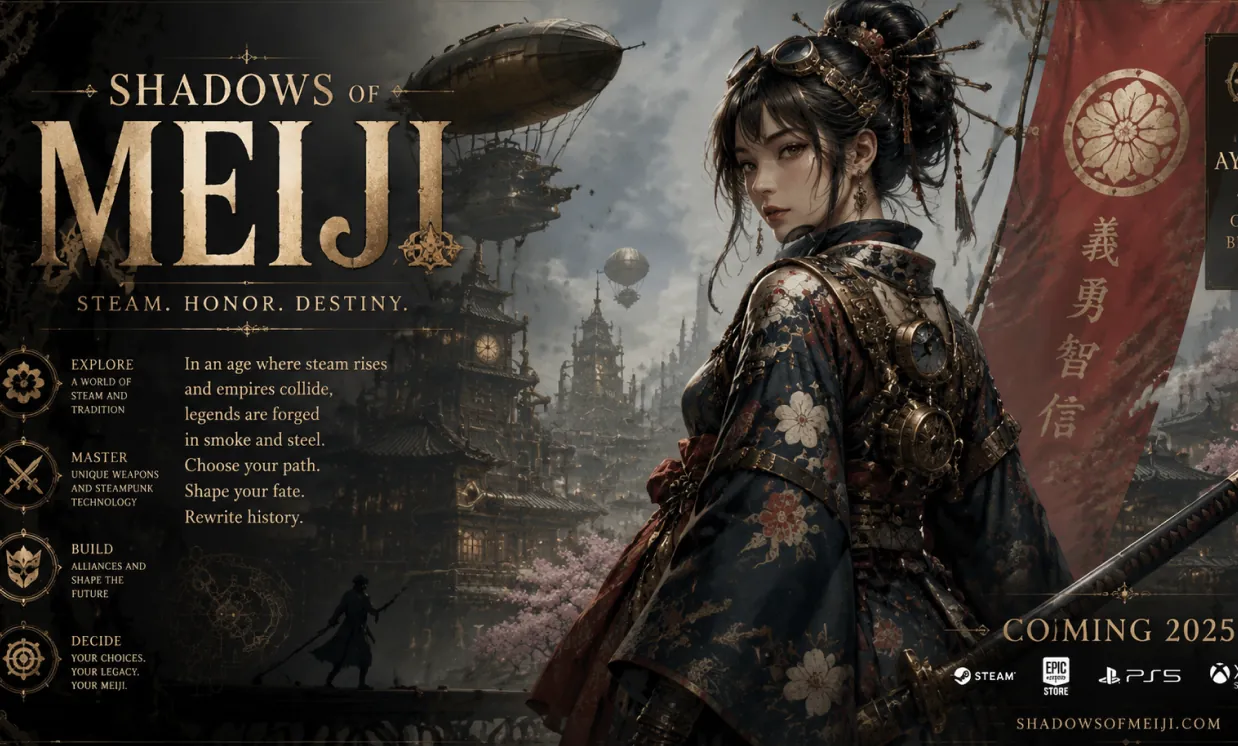
A fictional poster featuring all English characters for an ancient Japanese game, in a steampunk style
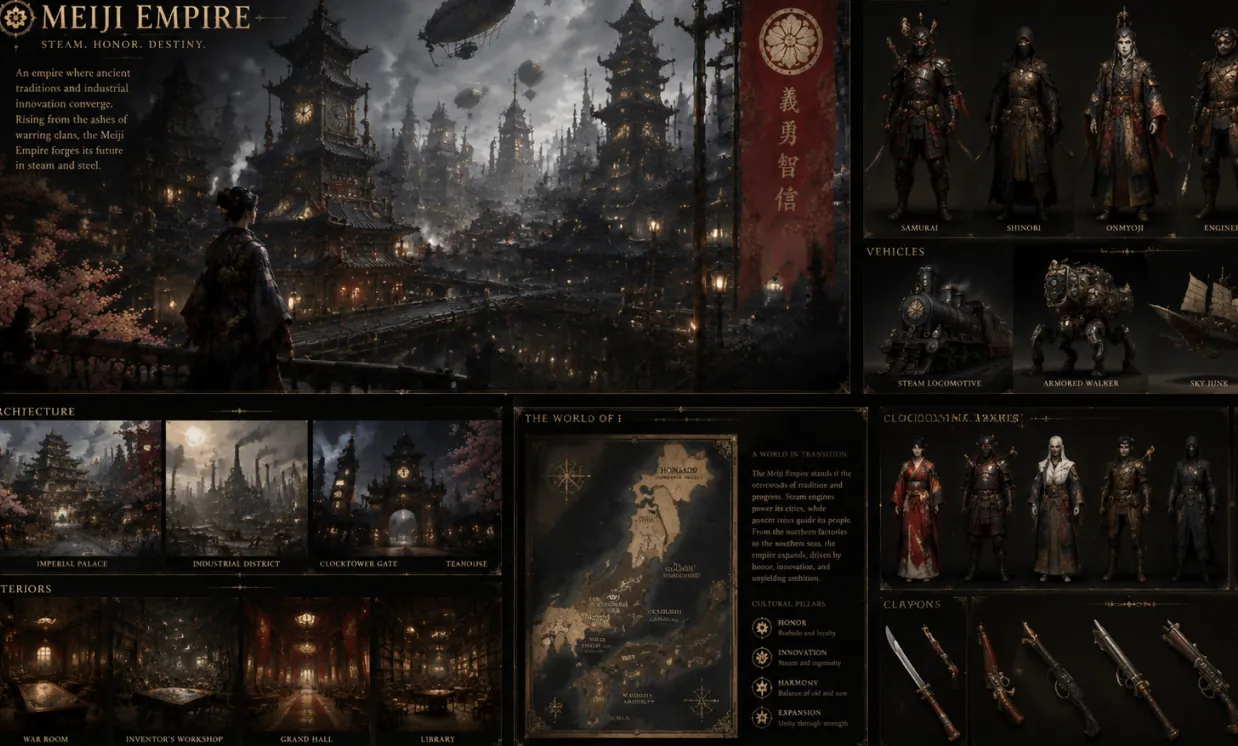
Create a complete visual world-building model for a civilization with the style of reference image, including multiple images of buildings, characters, clothing, vehicles and maps, using a unified design language and featuring a cinematic-like realism with extremely rich details.
Exemple de design basé sur référence
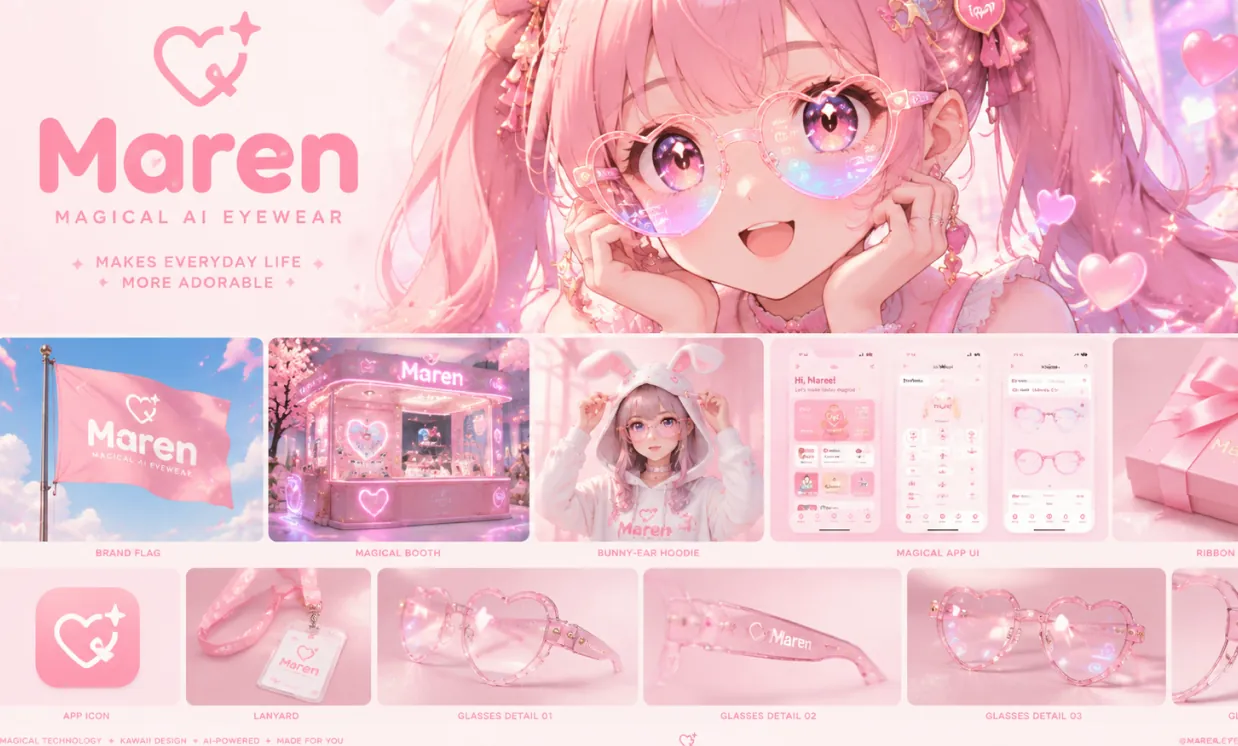
A dreamy kawaii manga brand identity moodboard for “Maren”, a magical AI eyewear brand that makes everyday life more adorable. Large hero image of an ultra-cute anime girl with twin tails wearing translucent heart-shaped smart glasses, sparkling doe eyes, soft glowing lens reflections in pastel rainbow colors, floating heart particles and stars, warm glowing lighting, innocent and enchanting atmosphere. Below: polished grid of rounded mockups including pink flag, magical booth, bunny-ear hoodie, bubbly app UI, ribbon-wrapped packaging, app icon, lanyard, and multiple glass detail shots. Minimal heart-star logo, rounded bubble font wordmark, pastel pink dominant palette, glossy and sparkly materials, ultra cute luxury tech aesthetic, Behance-style clean layout, vibrant manga illustration, high detail, 3:2 vertical.
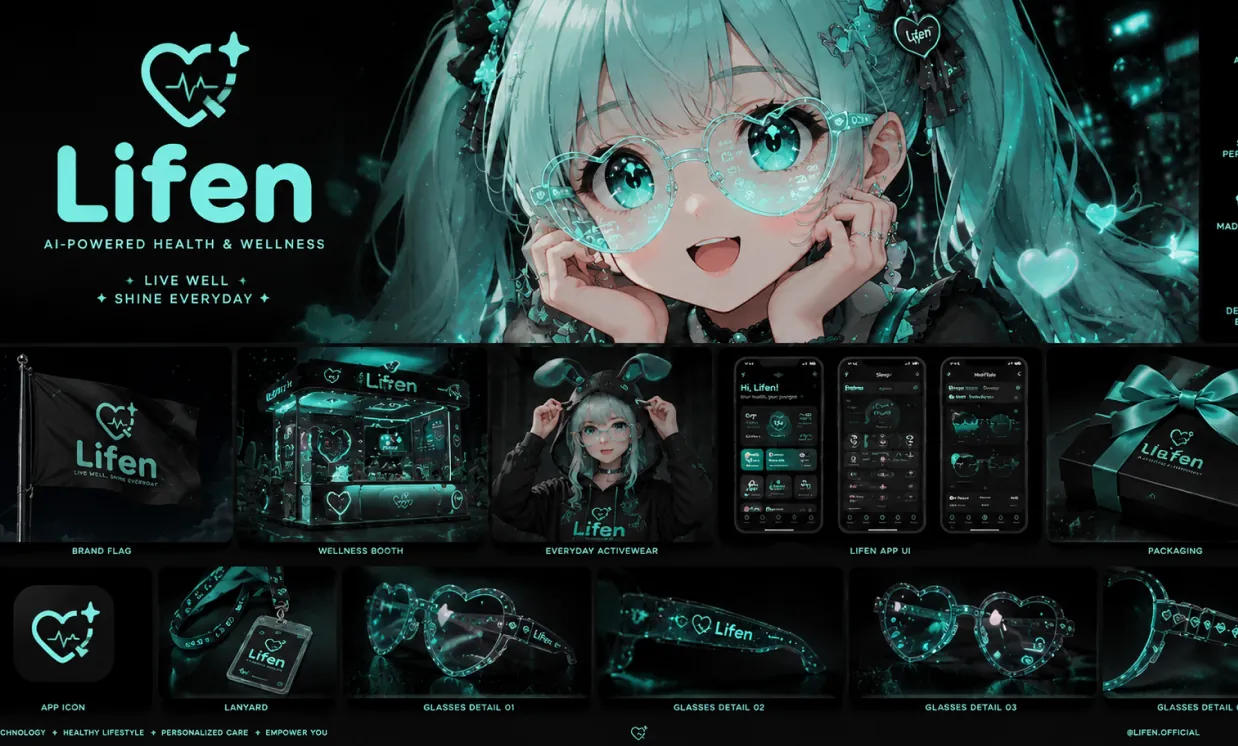
Based on the design concept of this picture, please help me create a mood board for "Lifen". The main color of Lifen is #A0FDF4, with a black background. It is mainly for a brand in the direction of health, you need to replace the logo to match the overall style.
Avantages de GPT Image 2 gratuit
GPT Image 2 gratuit aide les créateurs à transformer plus vite leurs idées en visuels finis grâce aux prompts naturels, aux images de référence et à plusieurs formats.
Interprétation précise des prompts
Décrivez le sujet, le décor, la lumière, le cadrage, le style visuel et l’ambiance avec des mots simples, puis créez des images riches en détails et bien composées.
Processus texte vers image et image vers image
Commencez avec un prompt seul ou associez-le à jusqu’à cinq images de référence pour créer des variantes, retravailler un visuel, améliorer des photos produit ou tester de nouveaux styles.
Nombreuses options de format
Créez des images pour posts carrés, portraits verticaux, bannières, miniatures, affiches et scènes larges avec des formats courants comme 1:1, 3:2, 2:3, 3:4, 4:3, 4:5, 5:4, 9:16, 16:9 et 21:9.
Des sorties plus solides pour les vrais travaux de design
Idéal pour les idées marketing, visuels de réseaux sociaux, maquettes, storyboards, supports pédagogiques et essais de marque où la clarté, la mise en page et les révisions rapides comptent.
Cas d’usage de GPT Image 2 gratuit
Utilisez GPT Image 2 gratuit pour générer rapidement des images IA en marketing, design, éducation, e-commerce, projets personnels et création de contenu.
Contenu créateur et réseaux sociaux
Produisez des posts accrocheurs, miniatures, photos de profil, couvertures de vidéos courtes et visuels de campagne adaptés à chaque canal.
Concepts produit et publicité
Créez des scènes produit, maquettes lifestyle, affiches promotionnelles, pistes packaging et variantes publicitaires avant une production complète.
Retouche photo et retravail visuel
Importez des images de référence pour changer de style, repenser une scène, essayer de nouveaux arrière-plans, modifier la direction créative ou rendre les variantes plus cohérentes.
Design pour présentation et éducation
Transformez des sujets abstraits en illustrations claires, visuels de cours, graphiques de diapositives, diagrammes et images explicatives.
Comment fonctionne GPT Image 2 gratuit
Créez ou modifiez des images IA dans un flux simple : rédigez un prompt, ajoutez des références si utile, choisissez un format et générez le visuel final.
Rédigez votre prompt d’image
Précisez ce que vous voulez créer : sujet, scène, style, couleur, angle de caméra, lumière, texte et détails visuels importants.
Ajoutez des images de référence si utile
Pour l’image vers image, importez une à cinq images de référence et décrivez comment le résultat doit transformer, conserver ou réinterpréter les visuels sources.
Choisissez un format et générez
Choisissez un format comme 1:1, 4:5, 9:16, 16:9 ou 21:9, générez, vérifiez, affinez le prompt puis exportez l’image lorsqu’elle est prête.
Créez des workflows GPT Image prêts pour la production avec des API fiables
Faites évoluer vos concepts GPT Image 2 au-delà des générations ponctuelles. Choisissez des API stables et économiques pour créer des images fidèles aux prompts, afficher du texte lisible, éditer à partir de références, concevoir des produits et proposer des expériences visuelles évolutives dans votre application.
GPT Image 2 API
Une API d'image OpenAI polyvalente, avec un excellent respect des prompts, des réglages de qualité flexibles, un texte lisible et une génération ou une retouche fiable pour les applications en production.
Voir les détails de l'APIGoogleNano Banana Pro API
Une solution propulsée par Google pour la génération de haute qualité et la retouche guidée par des références, idéale pour les assistants créatifs, les visuels produit, la cohérence des personnages et les workflows itératifs.
Voir les détails de l'APIByteDanceSeedream 5.0 Pro API
Une API premium de génération d'images axée sur des détails soignés, des visuels réalistes et commerciaux, ainsi que des résultats fiables pour les projets exigeants de marketing, de design et de production.
Voir les détails de l'APIAlibabaQwen Image 2.0 API
Une API d'image Alibaba économique, avec compréhension multilingue des prompts, rendu net du texte, résultats réalistes et génération flexible pour les applications à fort volume.
Voir les détails de l'APIAlibabaZ Image API
Une API texte-vers-image Alibaba abordable pour les visuels produit, les contenus sociaux, les illustrations éditoriales, les prototypes de design et l'automatisation créative à grande échelle.
Voir les détails de l'APIAlibabaQwen Image 3.0 Pro API
Une puissante API Alibaba de génération et d'édition d'images, dotée de capacités d'édition comparables à GPT Image 2, d'une excellente compréhension des prompts, de modifications visuelles précises et de résultats fiables pour les workflows créatifs professionnels.
Voir les détails de l'APIApplication mobile Android & iOS pour Générateur d'Images IA Gratuit
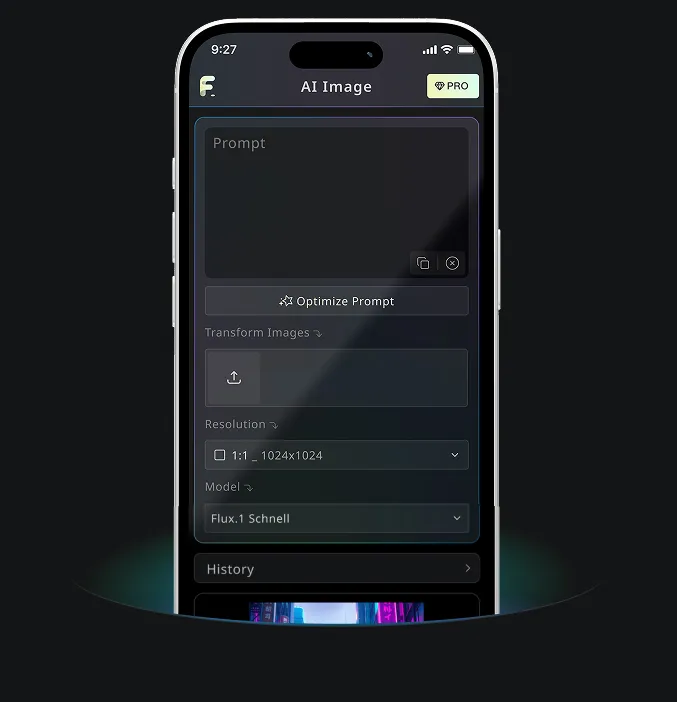
Téléchargez dès maintenant l'application mobile Générateur d'Images IA Gratuit pour profiter de ses outils puissants — stimulez votre créativité avec une étincelle d'inspiration qui transforme les mots en visuels époustouflants !
Questions fréquentes sur GPT Image 2 gratuit
Plus d’articles sur GPT Image 2 gratuit