Free AI Image Changer: Change Image, Swap Image & Edit Photos Online
Supports JPEG, JPG, WEBP, PNG
Free trial for higher quality image generation
Get a faster, higher-quality, ad-free experience of generating images through our professional website
Free AI Image Changer Examples
See how the free AI image changer turns one uploaded image into a cleaner, more useful version. Compare the original and changed results for portrait edits, pet scene swaps, product background changes, and marketing-ready visuals.
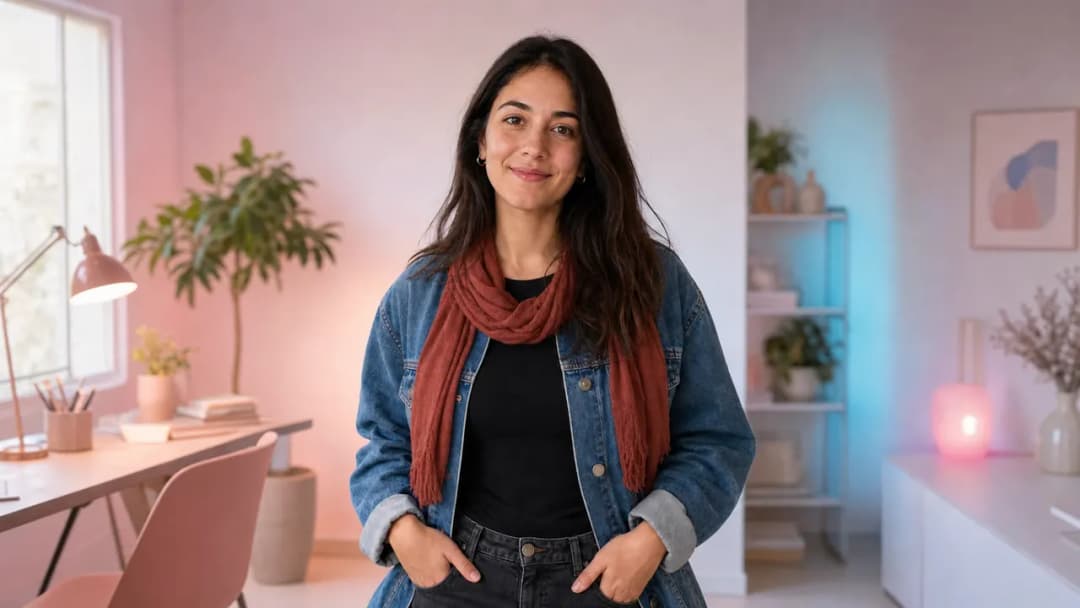
Portrait Background and Outfit Changes
Original portrait
Change the room into a pastel creative studio, add a warm red scarf, and keep the person, pose, denim jacket, and natural facial details consistent.
Pet Image Scene and Accessory Swaps
Original pet photo
Swap the simple sofa scene into a cozy birthday setting, add a blue bandana, and preserve the dog’s fur, pose, expression, and realistic lighting.
Product Color and Lifestyle Background Edits
Original product photo
Change the bottle color to deep forest green, replace the plain tabletop with a premium outdoor lifestyle scene, and keep the product shape and details clear.
Powerful Features of the Free AI Image Changer
This free AI image changer combines image-to-image generation with natural language editing so you can change image details, swap image backgrounds, and create realistic variations without complex design software.
Change Images with Simple Text Prompts
Upload a source image and describe exactly what should change. The AI understands subjects, composition, lighting, colors, and style, then redraws the result while keeping the important parts recognizable.
Swap Backgrounds, Objects, Colors, and Styles
Replace a dull background, change clothing or product colors, add accessories, remove distractions, update props, or turn a basic image into a polished social, ad, or ecommerce visual.
Free Online Image Editing for Real Photos
Start in your browser with no signup or credit card. The image changer supports common JPG, PNG, and WebP uploads, making it easy to update portraits, pets, products, posters, and creative references.
Consistent Image-to-Image Results
Keep faces, pets, products, poses, and layouts consistent while changing the parts you describe. Refine your prompt and generate again to explore more professional image variations.
What Can You Create with a Free AI Image Changer?
Use the free AI image changer for quick fixes, creative transformations, ecommerce image refreshes, social media posts, profile photos, pet edits, campaign ideas, and visual brainstorming.
Portraits, Profiles, and Personal Photos
Change backgrounds, refresh outfits, adjust mood, enhance lighting, or restyle a portrait while keeping the person recognizable and natural.
Pet Photos, Gifts, and Fun Edits
Swap a pet photo into a new scene, add accessories, clean up the background, or create playful images for gifts, cards, stickers, and social sharing.
Product and Ecommerce Visuals
Change product colors, replace backgrounds, create lifestyle scenes, and generate cleaner product visuals for listings, ads, banners, and storefronts.
Marketing, Social Media, and Creative Design
Turn one image into multiple campaign-ready variations for thumbnails, posters, stories, ads, blog images, brand assets, and quick content experiments.
How to Use the Free AI Image Changer
Changing an image with AI is simple: upload your photo, describe the change, and generate a new version. You can keep refining prompts to swap backgrounds, change details, improve quality, or explore a new style.
Upload Your Image
Describe What to Change
Generate, Download, or Refine
Power Image Changes, Swaps, and Restyling with Stable APIs
Add prompt-based image changing to ecommerce, marketing, design, and consumer apps. These cost-effective APIs can support background swaps, object replacement, color changes, outfit updates, scene restyling, and high-volume visual variation.
GPT Image 2 API
A versatile OpenAI image API with strong prompt adherence, flexible quality controls, clear text rendering, and dependable generation or editing for production applications.
View API DetailsGoogleNano Banana Pro API
A Google-powered option for high-quality generation and reference-guided editing, useful for creative assistants, product visuals, character consistency, and iterative image workflows.
View API DetailsByteDanceSeedream 5.0 Pro API
A premium image generation API focused on polished detail, realistic and commercial visuals, and reliable output for demanding marketing, design, and production work.
View API DetailsAlibabaQwen Image 2.0 API
A cost-effective Alibaba image API with multilingual prompt understanding, sharp text rendering, realistic output, and flexible generation for high-volume applications.
View API DetailsAlibabaZ Image API
An affordable Alibaba text-to-image API for product imagery, social assets, editorial visuals, design prototypes, and scalable creative automation.
View API DetailsAlibabaQwen Image 3.0 Pro API
A powerful Alibaba image generation and editing API with image editing capabilities comparable to GPT Image 2, strong prompt understanding, precise visual changes, and dependable output for professional creative workflows.
View API DetailsStart Faster with Production-Ready Seedream 5 and Qwen Image 3 Prompts
Skip the blank prompt box and learn from reusable, open-source recipes built around real creative deliverables. These community libraries organize prompts by task, explain how to control composition and editing, and provide multilingual references that you can adapt for product images, advertising, portraits, design systems, educational visuals, and more.
Awesome Seedream 5 Prompts
A practical Seedream 5 cookbook for generation, editing, visual communication, and repeatable production work, with detailed recipes that go beyond short style keywords.
- 94 original prompts organized across 15 practical creative categories.
- Localized prompt resources for 15 languages plus a structured prompt schema.
- MIT-licensed examples for ads, products, portraits, UI, comics, documents, and editing.
Awesome Qwen Image 3 Prompts
A broad Qwen Image 3 prompt collection designed for practical image generation and editing, with visual examples, reusable templates, and workflows for both everyday creators and production teams.
- 144 original prompts across 18 categories with 19 generated examples.
- 15-language resources, 16 templates, and a 60-plus use-case matrix.
- MIT-licensed recipes for ecommerce, branding, portraits, posters, UI, and precise edits.
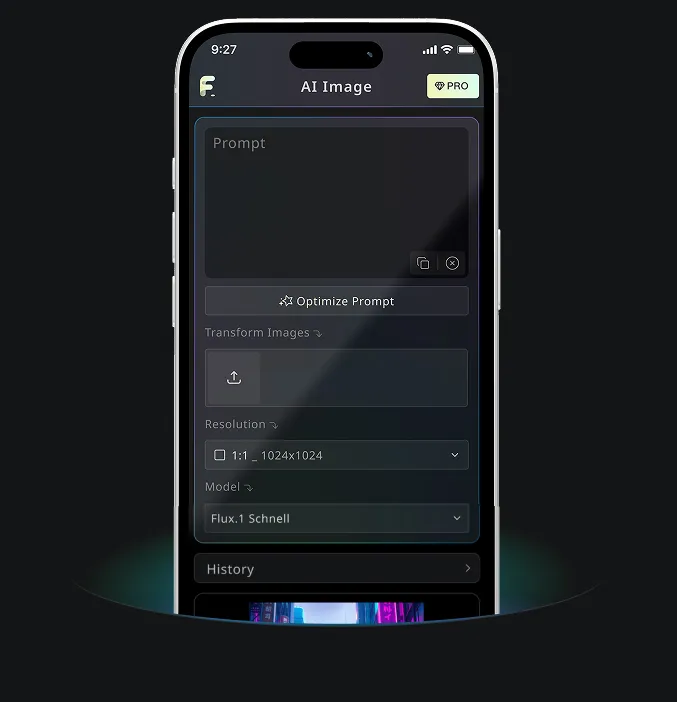
Android & iOS Mobile Application for Free AI Image Generator
Download Free AI Image Generator mobile Application now to tap into Free AI Image Generator's robust tools—boost your creativity with a spark of inspiration that transforms words into stunning visuals!