Most people only think about image formats when something goes wrong.
大多數人只有在出問題的時候,才會想到圖片格式。
A file will not upload. A website feels slow. A design tool opens one format but not another. A marketplace accepts JPG but not WebP. Or a perfectly fine image suddenly becomes inconvenient just because it is in the wrong format for the next step.
檔案無法上傳、網站變得很慢、設計工具只能開某種格式、電商平台只收 JPG 不收 WebP,或者,一張原本完全沒問題的圖片,只因為不符合下一個步驟所需的格式,瞬間變得礙手礙腳。
That is exactly why simple image converters still matter.
這正是為什麼「簡單的圖片轉檔工具」依然重要。
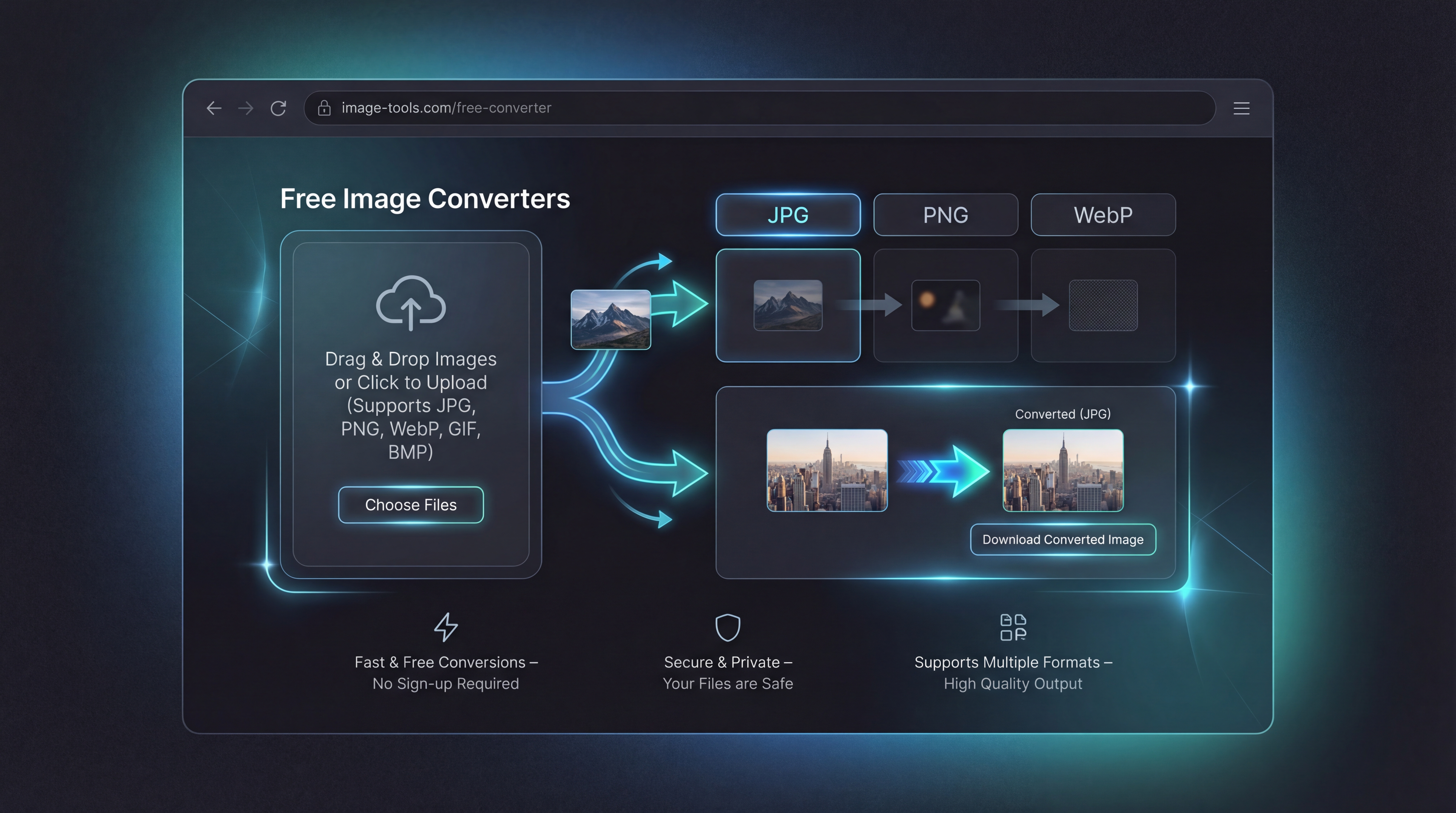
On FreeImgen AI, the image converter tools are built around a practical idea: you should be able to change formats quickly, in your browser, without extra setup. Whether you need a WebP to JPG converter for compatibility, a JPG to WebP converter for lighter website images, or a PNG to JPG converter for easier sharing, the goal is the same: get the image into the format that actually fits the job.
在 FreeImgen AI 上,圖片轉檔工具是基於一個實用的想法打造的:你應該能在瀏覽器裡快速轉換格式,而不需要額外設定。無論你需要 WebP 轉 JPG 工具 來提升相容性、JPG 轉 WebP 工具 來讓網站圖片更輕量,或是 PNG 轉 JPG 工具 讓分享更方便,目的都一樣:把圖片轉成真正適合當前工作的格式。
Why image format conversion still matters
為什麼圖片格式轉換仍然重要
Different image formats solve different problems.
不同的圖片格式,是為了解決不同的問題而存在的。
JPG is still one of the most common options for everyday web use, social uploads, and broad compatibility. PNG is often preferred in editing workflows and design pipelines because it is widely supported and useful in situations where image clarity matters. WebP is attractive because it is designed for more efficient web delivery and smaller file sizes in many cases.
JPG 仍然是日常網頁使用、社群上傳與廣泛相容性中最常見的選擇之一。PNG 則常用於編輯流程與設計作業中,因為支援度高,而且在需要畫面清晰的情境下非常實用。WebP 的優勢在於,它是為了更有效率的網路傳輸而設計,通常可以帶來更小的檔案大小。
The issue is that your source format and your target format are often not the same.
問題在於,你手上的原始格式,往往不是你接下來真正需要的目標格式。
You might download a WebP image from a website, then realize your editing app or upload flow works better with JPG or PNG. You might generate or export a PNG and then want a smaller, more web-friendly version. Or you may have a folder full of JPGs that would load faster online if converted into WebP.
你可能從某個網站下載了一張 WebP 圖片,卻發現你的編輯工具或上傳流程更適合使用 JPG 或 PNG。你可能產生或匯出的是 PNG,但接下來又需要一個更小、更適合網頁的版本。又或者,你有一整個資料夾的 JPG,如果轉成 WebP,在網頁上載入速度會快得多。
That is where FreeImgen’s browser-based converters fit in: they are small utility tools, but they solve a very real last-mile problem.
這就是 FreeImgen 的瀏覽器轉檔工具派上用場的地方:它們看似只是小型工具,卻解決了非常真實的「最後一哩路」問題。
The six core image converter tools
六大核心圖片轉換工具
FreeImgen’s format converter lineup covers the most common everyday conversions:
FreeImgen 的格式轉換工具組,涵蓋了日常最常見的幾種轉換需求:
- WebP to JPG converter
- PNG to WebP converter
- JPG to WebP converter
- WebP to PNG converter
- PNG to JPG converter
- JPG to PNG converter
This is a useful set because it covers the most common movement between standard web formats. Instead of treating format conversion as a technical chore, you can think of it as a workflow adjustment: keep the image content, change the file type to match the destination.
這套工具之所以實用,是因為它涵蓋了標準網頁格式之間最常見的互相轉換。你不必再把轉檔當成技術性苦差事,而可以把它視為一個「調整流程」:保留圖片內容,只是改變檔案格式,好讓它更適合要去的地方。
When to use each converter
什麼情況下該用哪一種轉換工具
The easiest way to choose the right tool is to ask one question: what do you need the image to do next?
選對工具最簡單的方法,就是先問自己一個問題:你接下來「要拿這張圖做什麼」?
Use WebP to JPG for compatibility
需要最高相容性時,用 WebP 轉 JPG
A WebP to JPG converter is useful when you need the widest possible compatibility. If an image came from a website in WebP format but you want to upload it elsewhere, drop it into a document, or open it in a tool that prefers JPG, this is usually the simplest fix.
當你需要「盡可能高」的相容性時,WebP 轉 JPG 工具 就很有用。如果一張圖片是以 WebP 格式從網站下載下來,但你想把它上傳到其他平台、插入文件,或在偏好 JPG 的工具中開啟,這通常是最簡單的一步解法。
Use JPG to WebP for lighter websites
想讓網站更輕快時,用 JPG 轉 WebP
A JPG to WebP converter makes sense when your goal is web delivery. If you already have JPG images but want a more efficient format for site speed or smaller web assets, converting them to WebP can be a practical next step.
當你的目標是「網路上的呈現」時,JPG 轉 WebP 工具 就很適合。如果你手上已有 JPG 圖片,但希望用更有效率的格式來提升網站速度或減少素材大小,把它們轉成 WebP 是相當實際的下一步。
Use PNG to WebP for heavier graphic files
圖片檔太肥時,用 PNG 轉 WebP
A PNG to WebP converter is helpful when you have large PNG files that feel too heavy for web use. This is especially common with exported graphics, UI elements, and saved design assets that started as PNG but now need to be published more efficiently.
當你手上的 PNG 檔案太大、不太適合網頁使用時,PNG 轉 WebP 工具 就派上用場了。這在匯出的圖形、UI 元件或各種以 PNG 儲存的設計素材中特別常見——原始檔是 PNG,但現在需要更有效率地發佈。
Use WebP to PNG for editing workflows
要進入設計/編輯流程時,用 WebP 轉 PNG
A WebP to PNG converter is often useful when you want to bring a web image into a more design-friendly workflow. If you downloaded an image in WebP but want to continue working with it in editing software, PNG may feel like the more comfortable handoff format.
當你想把網頁上的圖片帶進更適合設計的工作流程時,WebP 轉 PNG 工具 常常很好用。如果你下載的是 WebP 圖片,但接下來要在編輯軟體中繼續加工,PNG 通常會是更好銜接的過渡格式。
Use PNG to JPG for smaller, simpler sharing
要輕量分享與上傳時,用 PNG 轉 JPG
A PNG to JPG converter is a practical choice when you want a lighter file for casual distribution, social posting, or general uploads. PNG files can be larger than necessary for many everyday uses, so converting to JPG is often the cleaner option when small file size matters more than keeping the original format.
當你想要更輕量、方便隨意分享、社群發佈或一般上傳時,PNG 轉 JPG 工具 是很實際的選擇。對多數日常用途來說,PNG 檔案往往比需要的還要大;如果你更在意檔案大小,而不是堅持維持原本格式,轉成 JPG 通常是更乾脆的做法。
Use JPG to PNG for design handoff
要交給設計或進一步編修時,用 JPG 轉 PNG
A JPG to PNG converter can be useful when your next step is editing, graphic layout work, or handing assets to someone who prefers PNG inside their workflow. It will not magically create missing detail, but it can make the file easier to manage in a PNG-centered process.
當你的下一步是進行編修、版面設計,或將素材交給偏好以 PNG 工作的人時,JPG 轉 PNG 工具 就很有用。它不會神奇地補出遺失的細節,但能讓檔案更好融入以 PNG 為主的工作流程。
Which format should you choose?
應該選哪一種圖片格式?
If you want a quick rule of thumb, use this:
如果你想要一個簡單好記的判斷方式,可以這樣想:
-
Choose JPG to WebP or PNG to WebP when your goal is web publishing.
-
Choose WebP to JPG when compatibility matters most.
-
Choose WebP to PNG or JPG to PNG when your next step is editing or design handoff.
-
Choose PNG to JPG when you want lighter everyday distribution.
-
以「網頁發佈」為目標時,用 JPG 轉 WebP 或 PNG 轉 WebP。
-
當「相容性」是最重要考量時,用 WebP 轉 JPG。
-
當下一步是編輯或設計交付時,用 WebP 轉 PNG 或 JPG 轉 PNG。
-
想要更輕量的日常分享時,用 PNG 轉 JPG。
This way of thinking keeps the decision simple. You are not picking the “best” format in the abstract. You are picking the best format for the next task.
用這種方式思考,選擇就變得簡單許多。你不是在抽象地挑「最強的格式」,而是在挑「最適合下一個任務的格式」。
How to convert an image in three steps
三個步驟完成圖片轉檔
One reason these tools are easy to recommend is that the workflow is simple.
這些工具值得推薦的一大原因,是流程非常簡單。
First, open the converter page that matches your need.
第一步,打開對應你需求的轉檔頁面。
Second, upload the image.
第二步,上傳圖片。
Third, download the converted result.
第三步,下載轉換後的檔案。
That is it.
就這樣結束。
FreeImgen presents these tools as browser-powered, no-signup utilities with local/privacy-friendly messaging, which makes them a convenient option when you want to solve one file problem quickly instead of learning a larger editing tool.
FreeImgen 把這些工具做成純瀏覽器操作、免註冊的小工具,並強調本地與隱私友善的使用方式。當你只想快速解決一個檔案問題,而不是花時間學一套大型編輯軟體時,它會是很方便的選擇。
Who these converters are most useful for
誰最適合使用這些轉檔工具
These tools are more broadly useful than they may look at first.
這些工具的用途,其實比表面上看起來更廣泛。
Bloggers and site owners can use JPG to WebP and PNG to WebP to prepare faster-loading images.
部落客與網站經營者可以利用 JPG 轉 WebP 和 PNG 轉 WebP,來準備載入更快的圖片。
Designers can use WebP to PNG and JPG to PNG when downloaded assets need to move into design software.
設計師可以在需要把下載來的素材帶進設計軟體時,使用 WebP 轉 PNG 和 JPG 轉 PNG。
Sellers and marketers can use PNG to JPG to make product visuals easier to upload across marketplaces and social channels.
賣家與行銷人員可以利用 PNG 轉 JPG,讓商品圖片更容易在各大電商平台與社群頻道上傳。
And everyday users can use WebP to JPG when a saved image simply will not open or upload where they need it.
一般使用者則可以在圖片檔無法正常開啟或上傳時,用 WebP 轉 JPG 來處理。
A quick quality and workflow checklist
轉檔後可以快速檢查的幾件事
After converting an image, it is worth checking a few simple things:
圖片轉換完成後,很值得花幾秒鐘檢查幾件事:
-
Does the image still look sharp enough?
-
Is the file size better suited to where you are sending it?
-
Did you choose the right format for the next app, website, or editor?
-
If you expected transparency or a certain workflow behavior, does the converted file still fit that need?
-
畫面看起來是否依然足夠清晰?
-
檔案大小是否更適合你要上傳或發佈的地方?
-
你是否為下一個要使用的網站、程式或編輯工具,選對了格式?
-
如果你原本期待保留透明背景或特定流程行為,轉檔後是否仍然符合?
Format conversion is not complicated, but a quick check saves time later.
轉檔本身不難,但這樣簡單檢查一下,常常能幫你省下之後更多時間。
Other FreeImgen tools worth pairing with the converters
其他值得搭配使用的 FreeImgen 工具
Format conversion is usually not the first step in an image workflow. It is often one of the last.
圖片格式轉換通常不是整個流程的起點,反而更常發生在最後幾個步驟。
That is why these tools pair well with other utilities on FreeImgen.
也因此,這些工具很適合搭配 FreeImgen 上的其他工具一起用。
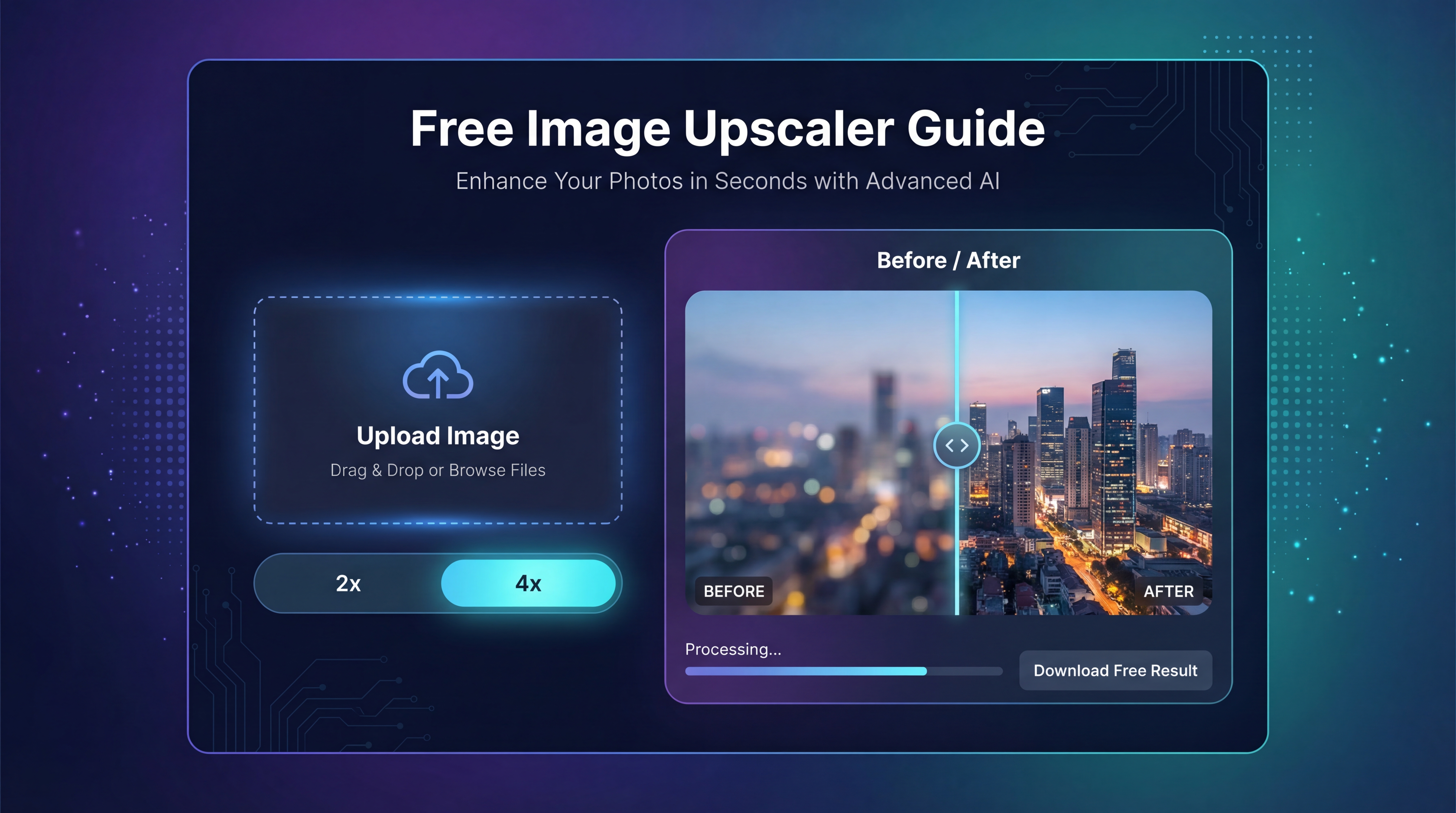
Use Free Image Upscaler when you want to enlarge or sharpen an image before exporting it into the final format.
在輸出成最終格式之前,如果你想先放大或銳化圖片,可以使用 Free Image Upscaler。
Use Free Image-to-Image AI when you want to restyle or refine a visual before converting it.
在轉檔之前,如果你想先重新風格化或細修畫面,可以使用 Free Image-to-Image AI。
Use Flux AI Image Generator when you want to create fresh images first and then export them in the format you actually need.
如果你想先從零生成新圖片,再以需要的格式輸出,可以使用 Flux AI Image Generator。
Use Janus Pro Image Generator when you want another prompt-based image creation option before finishing the workflow with conversion.
如果你想要另一個以文字提示生成圖片的選項,再搭配轉檔完成流程,可以使用 Janus Pro Image Generator。
And if you want to browse the broader tool ecosystem, FreeImgen AI works as the central hub.
如果你想看完整的工具生態系,FreeImgen AI 就是整個工具的中心入口。
Final takeaway
最後總結
Image converters are not flashy tools, but they solve one of the most common problems in digital workflows: getting a perfectly usable image into the wrong format at the wrong time.
圖片轉檔工具並不華麗,但它們解決了數位工作流程中最常見的問題之一:原本完全可用的圖片,在關鍵時刻卻是「錯誤的格式」。
That is why FreeImgen’s converter pages are practical. They cover the most common format changes people actually need, from WebP to JPG and JPG to WebP to PNG to JPG and JPG to PNG.
這也是為什麼 FreeImgen 的轉檔頁面特別實用——它們涵蓋了多數人真正會用到的常見格式變換,從 WebP 轉 JPG、JPG 轉 WebP 到 PNG 轉 JPG、JPG 轉 PNG。
A simple workflow makes the whole ecosystem easier to understand: create or refine the image, upscale it if needed, then convert it into the format that fits the final destination.
以簡單的流程來看整個工具生態系就很清楚:先產生或優化圖片,需要時放大調整,最後再轉成最適合最終用途的檔案格式。