Free GPT Image 2: Powerful AI Image Generator and Editor
Supports JPEG, JPG, WEBP, PNG
Free trial for higher quality image generation
Get a faster, higher-quality, ad-free experience of generating images through our professional website
Main Capabilities of Free GPT Image 2
A versatile AI image creation flow for text-to-image and image-to-image work, built for crisp details, reliable prompt alignment, balanced composition, and quick creative refinement.
Text-to-Image Creation Example
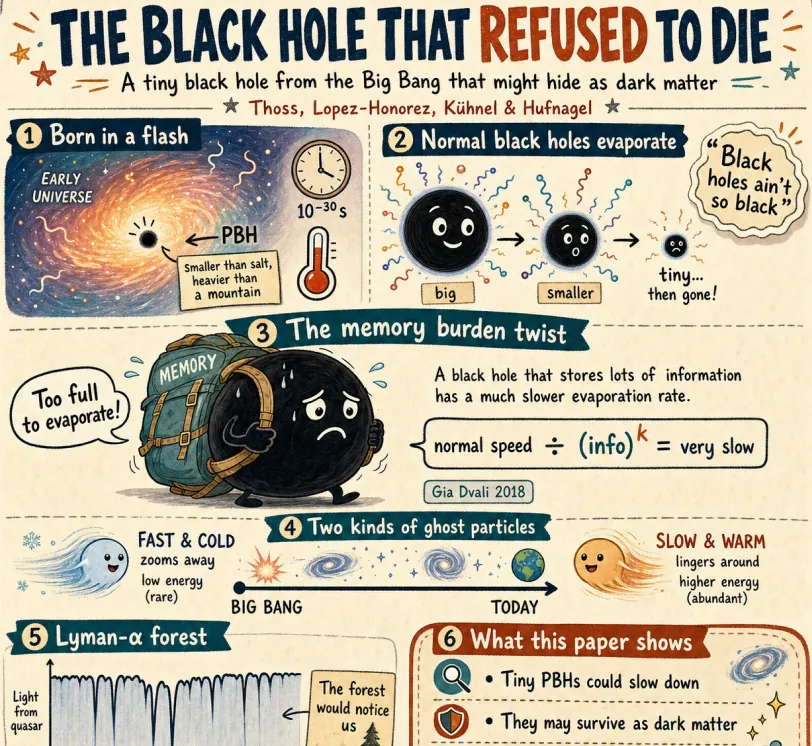
Create a fun, friendly magazine-style educational infographic poster for teenagers.Topic: Primordial black holes, Hawking evaporation, and memory-burden dark matter.Style: Playful hand-drawn diagrams, cute cartoon characters, clean bold typography. Warm and approachable.Canvas: Portrait orientation, warm cream paper texture, thin muted gray border.Headline: "THE BLACK HOLE THAT REFUSED TO DIE"Subtitle: "A tiny black hole from the Big Bang that might hide as dark matter"Credit: Thoss, Lopez-Honorez, Kühnel & HufnagelLayout sections:Top left: "Born in a flash" — Early universe swirl, tiny PBH (smaller than salt but heavier than mountain), 10^-30s clock, thermometer.Top right: "Normal black holes evaporate" — 3 shrinking stages with particle squiggles, Hawking quote sticker: "Black holes ain't so black".Center: "The memory burden twist" — Sad cartoon black hole with big "MEMORY" backpack, speech bubble "Too full to evaporate!", simple equation: normal speed ÷ (info)^k = very slow. Gia Dvali 2018.Lower middle: "Two kinds of ghost particles" — Fast cold particle vs slow warm particle, Big Bang to Today timeline.Bottom left: "Lyman-α forest" — Spiky absorption forest graphic, note "The forest would notice us".Bottom right: Rounded box "What this paper shows" — final summary.Colors: warm beige, dark navy, rust orange, dusty teal, soft brown, gray.Flat vector style with sketchy outlines, soft shadows, rounded friendly shapes.Dense but clear single-page poster with easy top-to-bottom flow. Make advanced physics feel fun for curious teens.
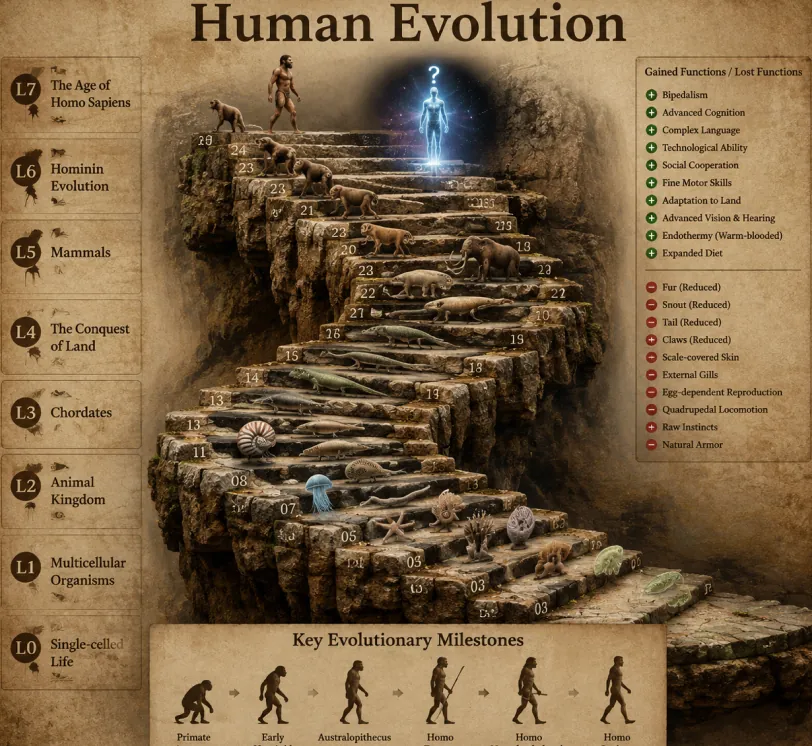
Create a highly realistic 3D infographic of the evolutionary timeline of life on Earth, based on a classic winding staircase structure.Style: Vintage textured parchment paper background. The staircase is made of realistic, rough-textured ancient stone blocks forming clear, distinct steps instead of smooth ramps. All organisms are rendered as highly detailed photorealistic 3D models with realistic lighting, textures, and depth.Main Title (large and prominent at the top): Human EvolutionLeft Sidebar (8 levels): Vertical list showing major evolutionary stages: L0: Single-celled Life L1: Multicellular Organisms L2: Animal Kingdom L3: Chordates L4: The Conquest of Land L5: Mammals L6: Hominin Evolution L7: The Age of Homo SapiensTop Right Corner: Legend titled “Gained Functions / Lost Functions” with clear plus (+) and minus (−) icons explaining key evolutionary advantages and losses.Bottom Center: Section titled “Key Evolutionary Milestones” featuring a horizontal timeline with 6 silhouette figures showing the classic ape-to-human progression.Centerpiece: A grand winding stone staircase with exactly 25 numbered steps. Each step displays a photorealistic 3D model of an organism representing its evolutionary stage. Notable steps include: Step 07: Jellyfish Step 09: Ammonite Step 10: Trilobite Step 24: Early modern human walking upright Step 25: Futuristic glowing cosmic human silhouette with a glowing question mark above it Make the entire image cinematic, highly detailed, educational, and visually impressive with dramatic lighting, realistic shadows, and depth of field. 8K quality, sharp focus, scientific illustration style.
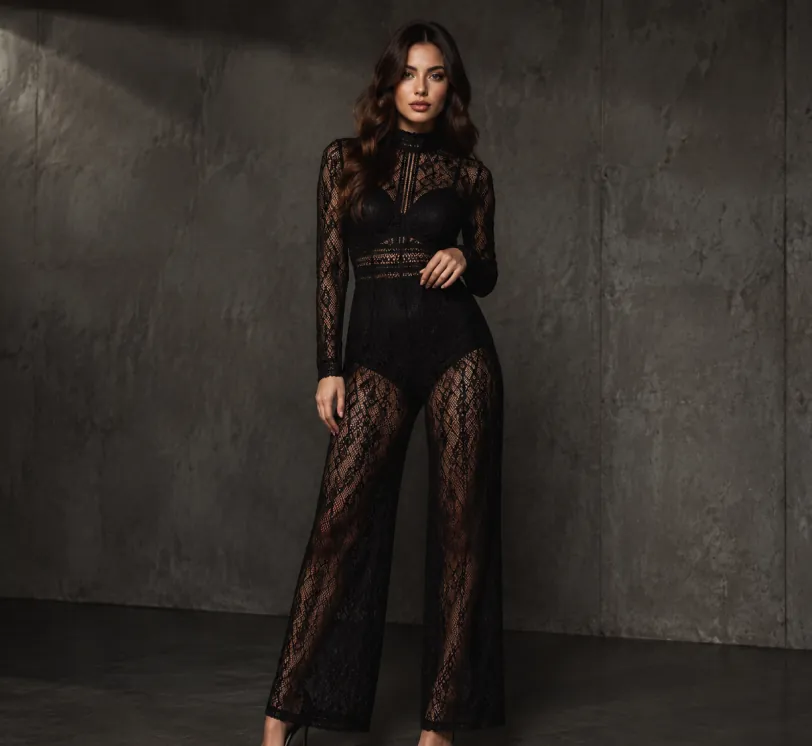
Create a realistic full-body studio fashion portrait of a young adult woman standing in a minimalist dark gray concrete room with a rough textured wall and polished concrete floor. beautiful symmetrical face, delicate makeup, sharp eyes and defined lips.She has long wavy dark brown hair and a clear, detailed face with elegant features. She wears a black sheer lace long-sleeve high-neck wide-leg jumpsuit with intricate geometric mesh patterns and a fitted waist over dark underlayers, paired with black pointed high-heel pumps. Pose her slightly angled to the camera, one hand resting near her waist and the other relaxed by her side, conveying elegant editorial confidence. Use moody low-key lighting from the upper left, subtle shadows, muted charcoal tones, high-fashion catalog styling, sharp fabric detail, realistic proportions, vertical composition, full-body framing, and a clean industrial background with no text or extra props.
Image Editing Example
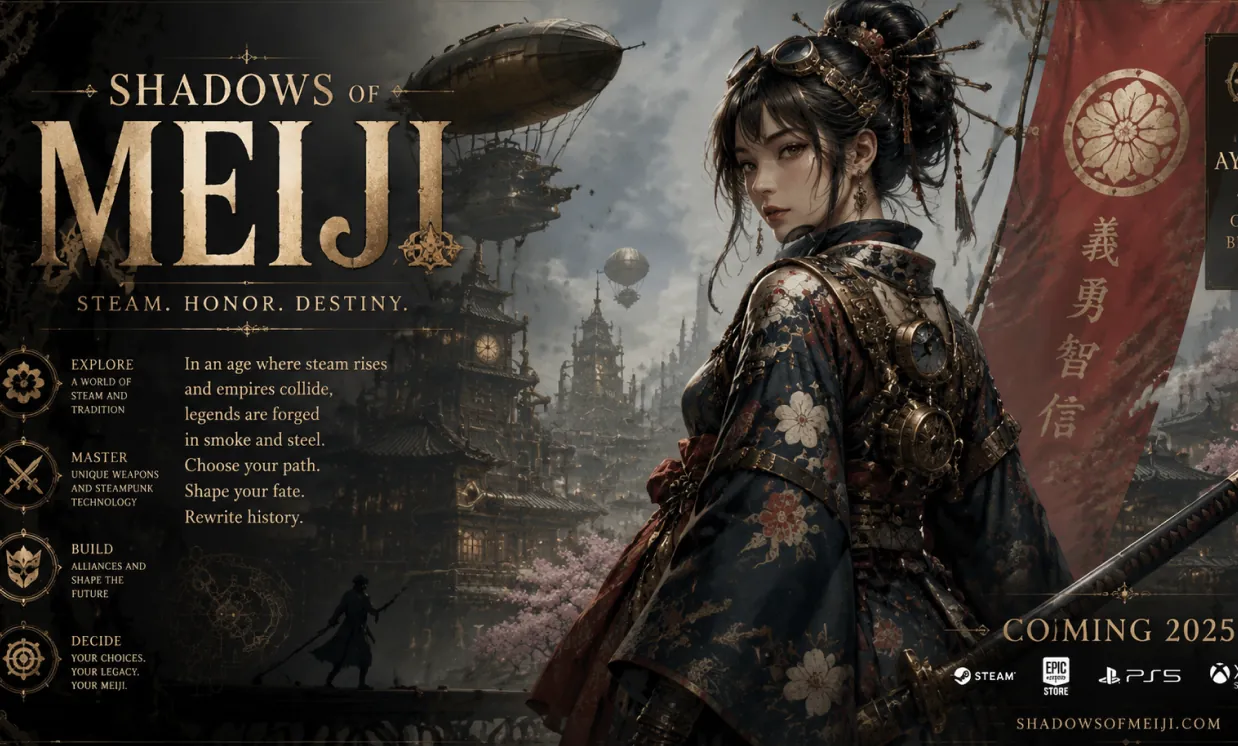
A fictional poster featuring all English characters for an ancient Japanese game, in a steampunk style
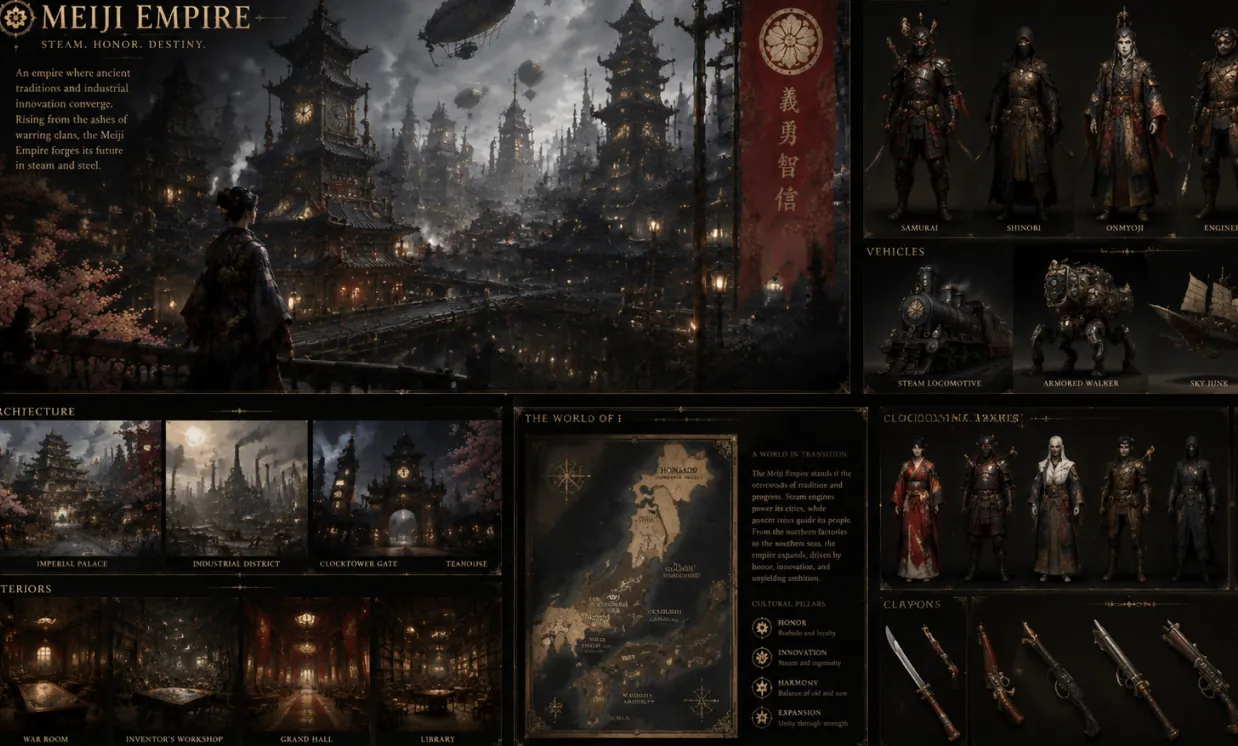
Create a complete visual world-building model for a civilization with the style of reference image, including multiple images of buildings, characters, clothing, vehicles and maps, using a unified design language and featuring a cinematic-like realism with extremely rich details.
Reference-Based Design Example
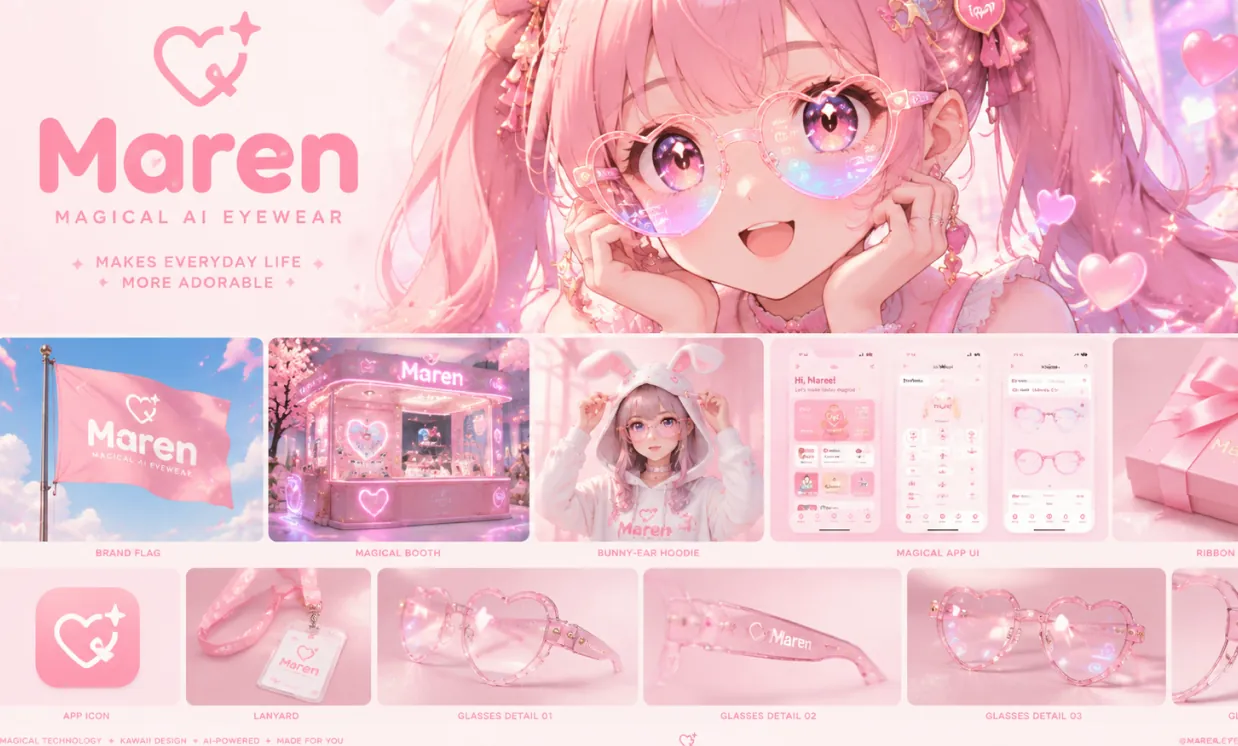
A dreamy kawaii manga brand identity moodboard for “Maren”, a magical AI eyewear brand that makes everyday life more adorable. Large hero image of an ultra-cute anime girl with twin tails wearing translucent heart-shaped smart glasses, sparkling doe eyes, soft glowing lens reflections in pastel rainbow colors, floating heart particles and stars, warm glowing lighting, innocent and enchanting atmosphere. Below: polished grid of rounded mockups including pink flag, magical booth, bunny-ear hoodie, bubbly app UI, ribbon-wrapped packaging, app icon, lanyard, and multiple glass detail shots. Minimal heart-star logo, rounded bubble font wordmark, pastel pink dominant palette, glossy and sparkly materials, ultra cute luxury tech aesthetic, Behance-style clean layout, vibrant manga illustration, high detail, 3:2 vertical.
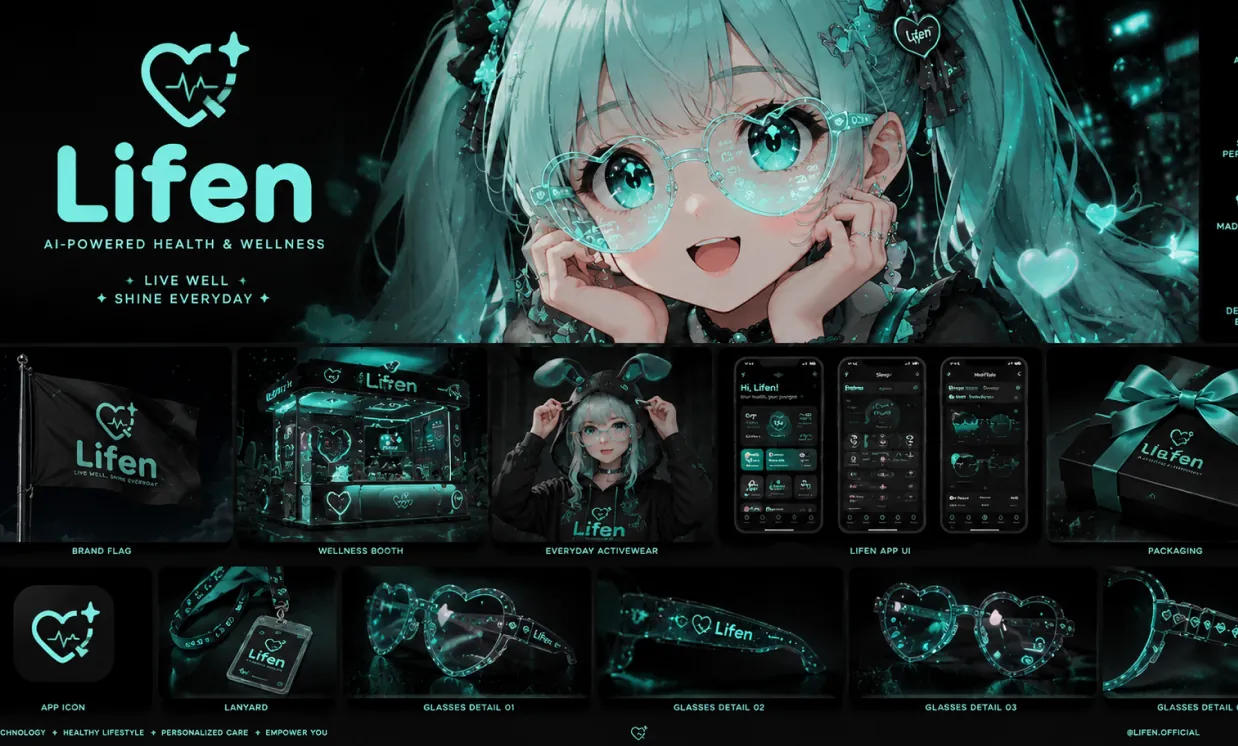
Based on the design concept of this picture, please help me create a mood board for "Lifen". The main color of Lifen is #A0FDF4, with a black background. It is mainly for a brand in the direction of health, you need to replace the logo to match the overall style.
Benefits of Free GPT Image 2
Free GPT Image 2 lets creators turn ideas into finished visuals faster, bringing together natural-language prompts, reference-image input, and multiple ratios for daily visual production.
Precise Prompt Interpretation
Describe the subject, setting, lighting, camera view, visual style, and mood in everyday language, then create images that reflect your direction with rich detail and organized composition.
Text-to-Image and Image-to-Image Process
Begin with a prompt alone, or pair a prompt with up to five uploaded reference images to build variations, reshape existing visuals, polish product photos, or test fresh styles.
Wide Aspect Ratio Options
Create images for square posts, vertical portraits, banners, thumbnails, posters, and widescreen scenes using common ratios such as 1:1, 3:2, 2:3, 3:4, 4:3, 4:5, 5:4, 9:16, 16:9, and 21:9.
Stronger Output for Real Design Tasks
Well suited to marketing ideas, social media visuals, mockups, storyboards, educational graphics, and brand experiments where clarity, layout control, and rapid revision are important.
Use Cases for Free GPT Image 2
Apply Free GPT Image 2 to fast online AI image generation for marketing, design, education, ecommerce, personal projects, and content creation.
Creator and Social Media Content
Produce attention-grabbing posts, thumbnails, profile images, short-form video covers, and campaign visuals in layouts that fit each channel.
Product Concepts and Advertising
Build product scenes, lifestyle mockups, promotional posters, packaging directions, and ad variants before investing in full production.
Photo Editing and Visual Reworking
Upload reference images to shift style, redesign scenes, try new backgrounds, change the creative direction, or make image variations feel more consistent.
Presentation and Education Design
Convert abstract topics into clear illustrations, lesson visuals, slide graphics, diagrams, and explanatory images for teaching and communication.
How Free GPT Image 2 Works
Create or edit AI images through one simple flow: write a prompt, add reference images when useful, select an aspect ratio, and generate the finished visual.
Write Your Image Prompt
Specify what you want to make, including the subject, scene, style, color, camera angle, lighting, text, and any key visual details.
Add Reference Images When Helpful
For image-to-image generation, upload one to five reference images and describe how the result should transform, keep, or reinterpret the source visuals.
Select a Ratio and Generate
Pick an aspect ratio such as 1:1, 4:5, 9:16, 16:9, or 21:9, then generate, review, refine the prompt, and export the image once it is ready.
Build Production-Ready GPT Image Workflows with Reliable Image APIs
Take your GPT Image 2 concepts beyond one-off generations. Choose stable, cost-effective APIs for prompt-accurate image creation, readable text, reference-based editing, product design, and scalable visual experiences inside your own app.
GPT Image 2 API
A versatile OpenAI image API with strong prompt adherence, flexible quality controls, clear text rendering, and dependable generation or editing for production applications.
View API DetailsGoogleNano Banana Pro API
A Google-powered option for high-quality generation and reference-guided editing, useful for creative assistants, product visuals, character consistency, and iterative image workflows.
View API DetailsByteDanceSeedream 5.0 Pro API
A premium image generation API focused on polished detail, realistic and commercial visuals, and reliable output for demanding marketing, design, and production work.
View API DetailsAlibabaQwen Image 2.0 API
A cost-effective Alibaba image API with multilingual prompt understanding, sharp text rendering, realistic output, and flexible generation for high-volume applications.
View API DetailsAlibabaZ Image API
An affordable Alibaba text-to-image API for product imagery, social assets, editorial visuals, design prototypes, and scalable creative automation.
View API DetailsAlibabaQwen Image 3.0 Pro API
A powerful Alibaba image generation and editing API with image editing capabilities comparable to GPT Image 2, strong prompt understanding, precise visual changes, and dependable output for professional creative workflows.
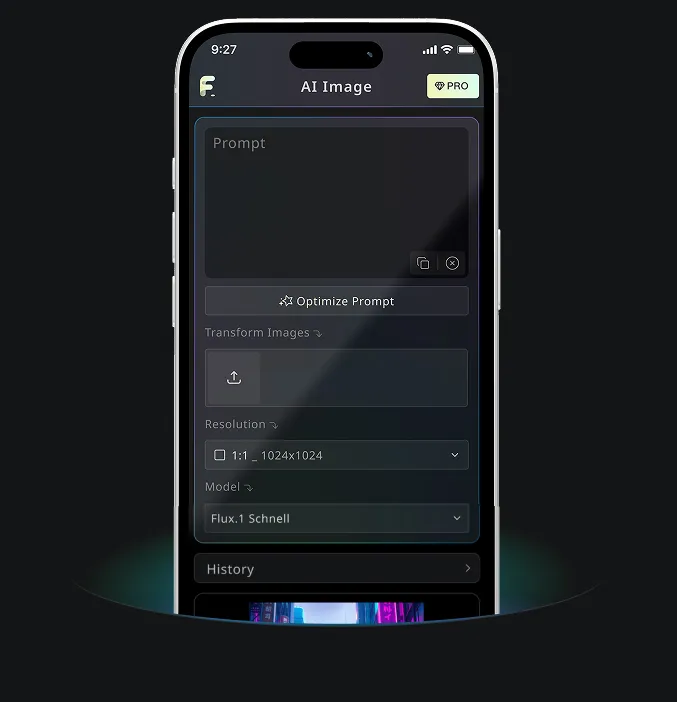
View API DetailsAndroid & iOS Mobile Application for Free AI Image Generator
Download Free AI Image Generator mobile Application now to tap into Free AI Image Generator's robust tools—boost your creativity with a spark of inspiration that transforms words into stunning visuals!